Getting started
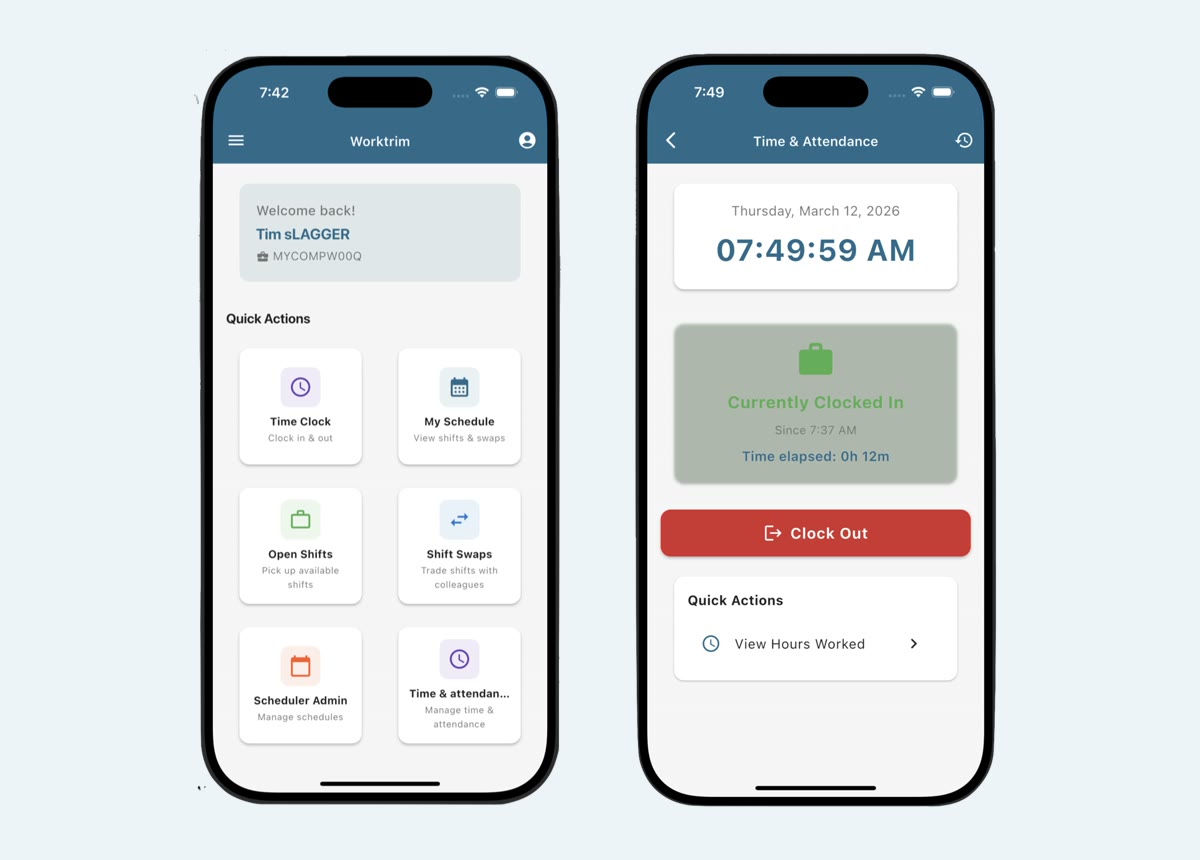
The screen in Worktrim.
Use the Worktrim mobile app
The free iOS and Android app is where most employees clock in, see their shifts and ask for time off.
Steps
- Download Worktrim from the App Store or Google Play and sign in with the same email and password as on the web.
- Someone new can join their company by scanning the company's Worktrim QR code (an administrator prints it from Manage users).
- Time Clock clocks you in and out. If your company uses work sites, the app checks you are at one.
- My Schedule shows your shifts. Open Shifts lets you pick up a shift nobody has, and Shift Swaps trades one with a coworker; a manager approves both.
- Time Off shows your balances and sends a request, and Hours Worked shows your hours for the pay period.
- Choose what the app tells you about (new shifts, trades, reminders) in Notification settings.
- Administrators also see who is clocked in, approvals and schedule set-up in the app.
Was this guide helpful?
Thank you.
Sorry it did not help. Tell us what was missing and we will improve it.
Still stuck?
Email [email protected] or send us a message. The people who build Worktrim answer.
Contact us