Build next week's schedule in one pass
Put shifts on the calendar for several people at once, see coverage and hours before you publish, and let staff pick up open shifts and trade with each other from their phones.
Included in Basic • 30-day free trial • No credit card required
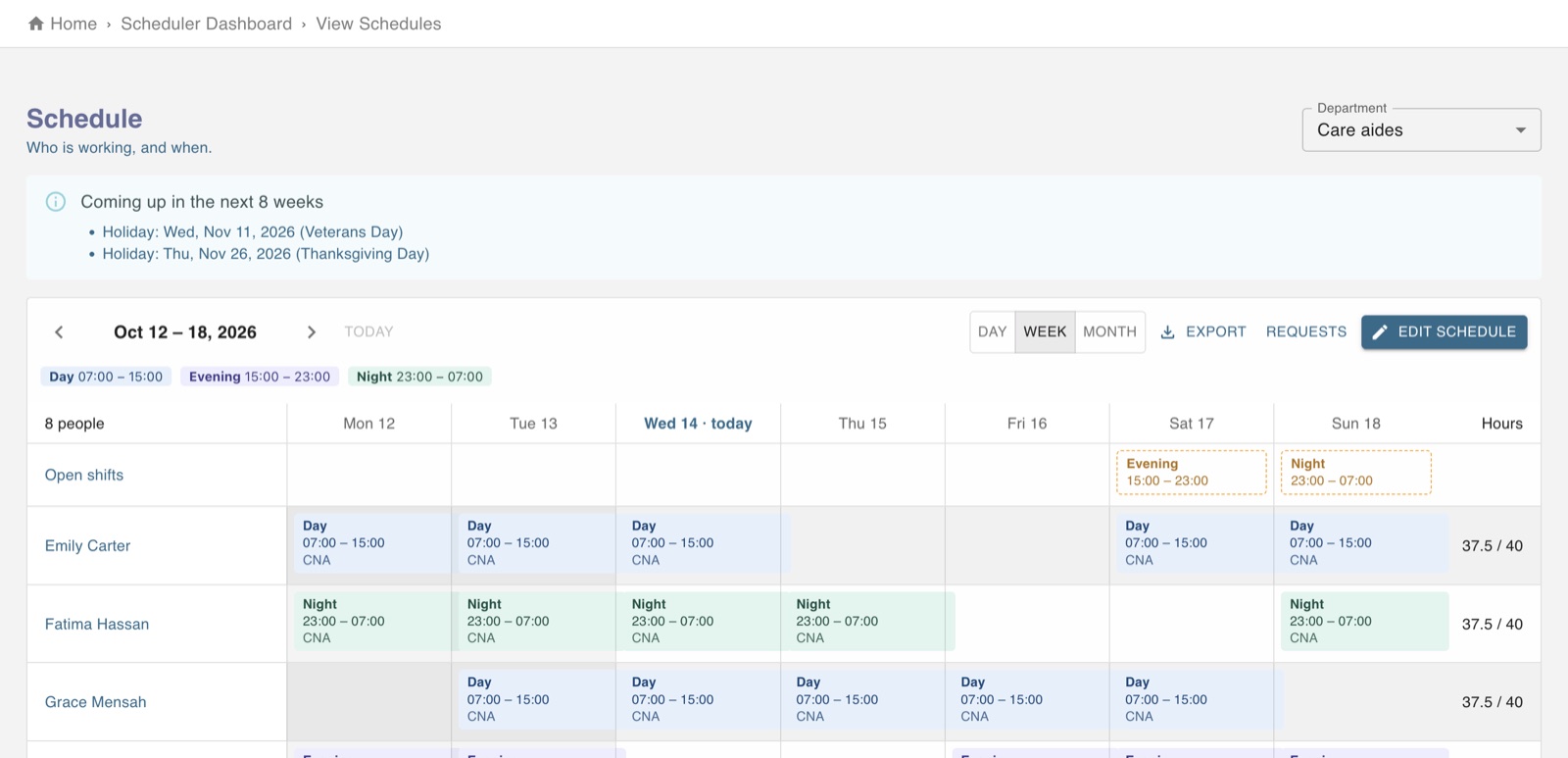
Everything a weekly schedule needs
From the first draft to the shift someone gives away on Friday night.
Schedule many people at once
Pick the people, the shift, an optional position and the days, and they all land on the calendar together.
Open shifts and trades
Post open shifts for staff to pick up, and let people trade shifts. Managers approve each request.
Hours before you publish
Each person's scheduled hours sit next to their weekly limit, so overtime shows up while you build.
Time off and unpaid days
Time-off requests live next to the schedule, and you can offer a day off without pay when you are overstaffed.
Holidays called out
Upcoming holidays are shown on the schedule weeks ahead, so they are planned for, not discovered.
Departments and positions
Schedule each department on its own, with positions that show on the shift and carry into hours.
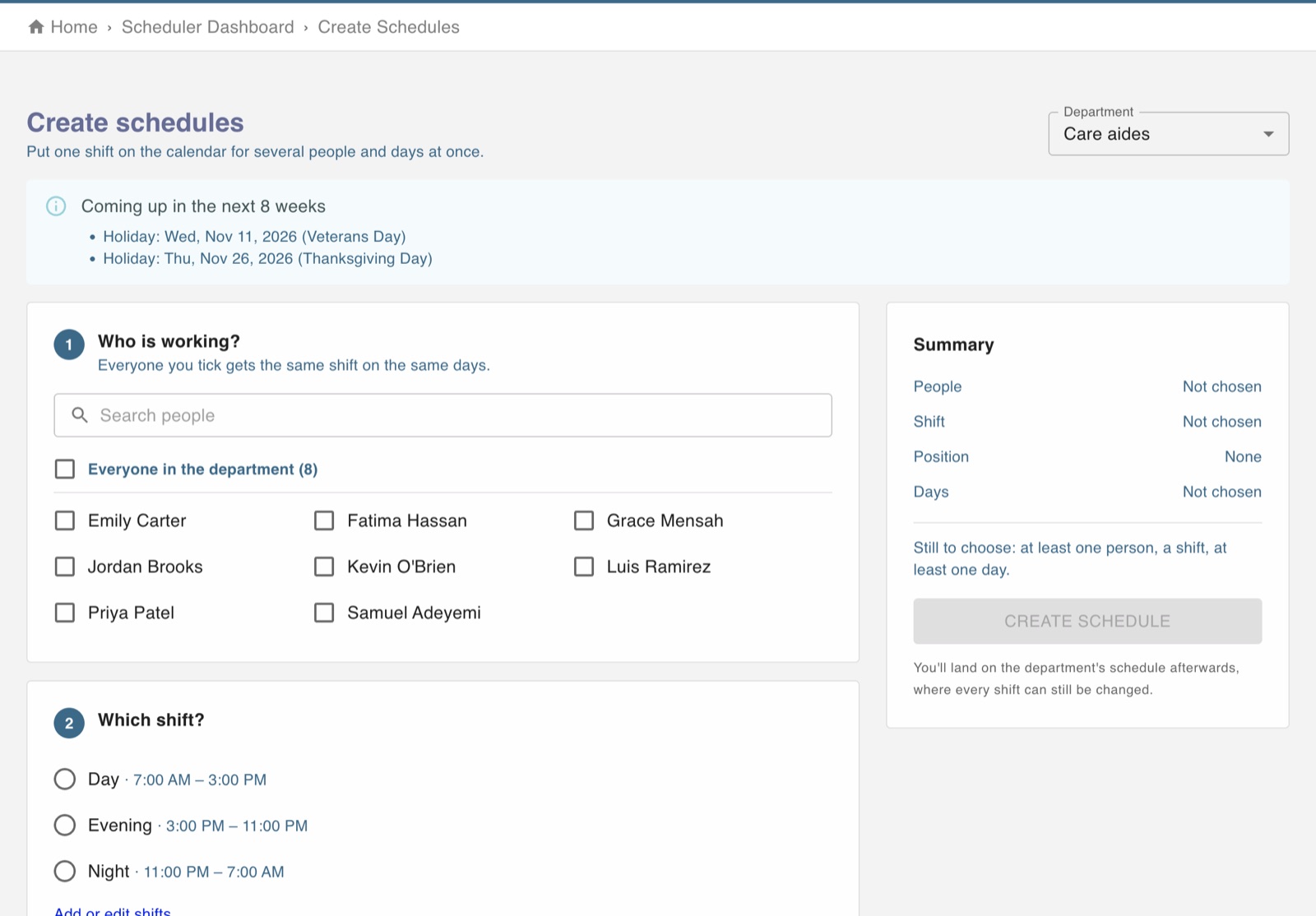
Three questions, then the week is done
Who is working, which shift, which days. A running summary shows what you are about to create, and everything can still be changed on the calendar afterwards.
- Everyone in a department in one tick
- Shift times and break length from your shift list
- Optional positions that show on the shift
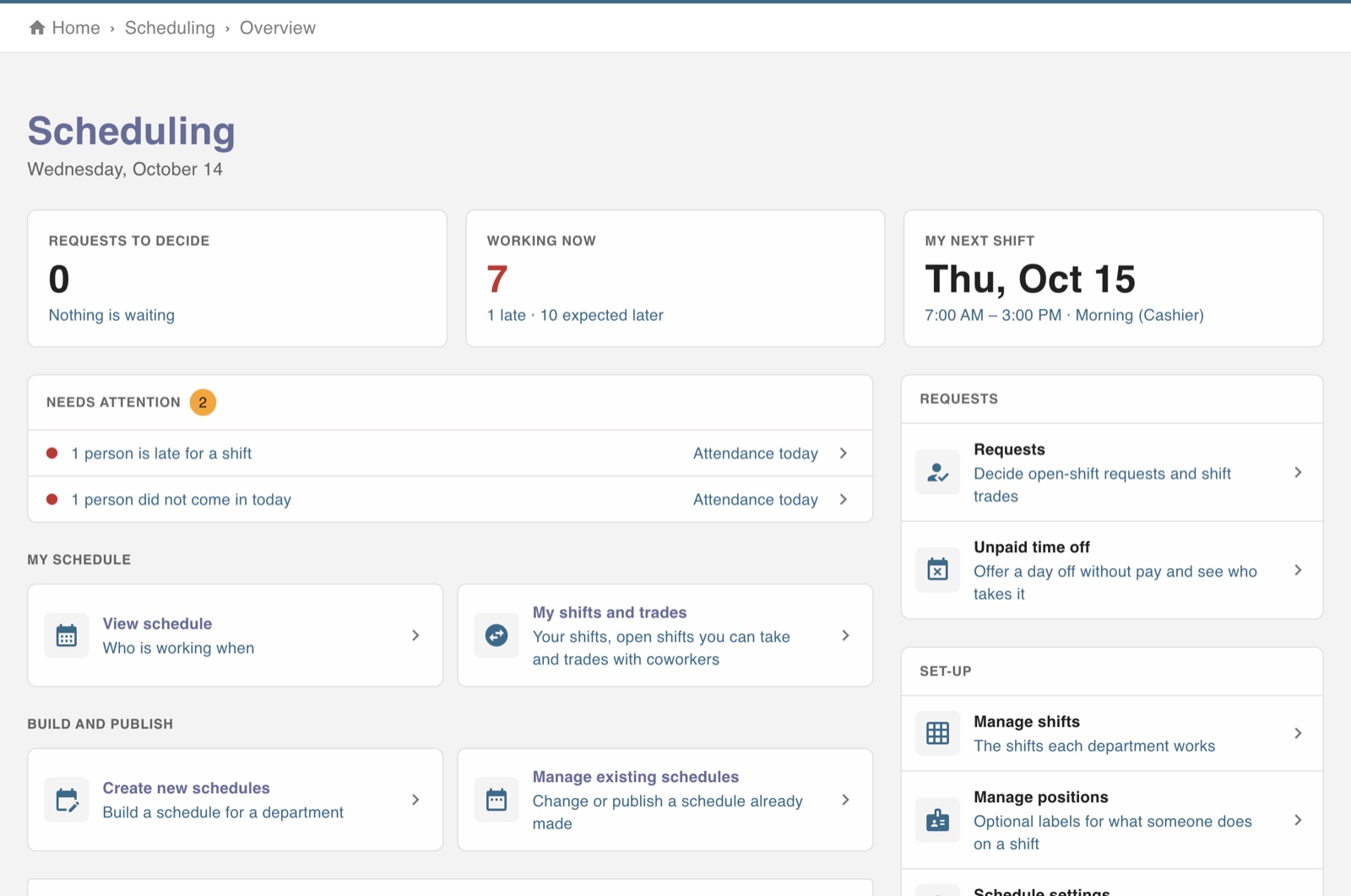
What needs a decision, on one screen
Requests waiting for you, who is working right now, who is late, and your own next shift. Everything else is one click away.
- Open-shift requests and trades to approve
- Late arrivals flagged against the schedule
- Staff see the published schedule in the free app
Scheduling questions
One login for the rest of the job
Every module shares the same people, departments and hours, so nothing is typed twice.