Turn any tablet into a time clock
Mount a tablet by the door, pair it with a code, and staff clock in and out with their own PIN. No special hardware, no shared password, and it keeps working when the Wi-Fi drops.
Included in Basic • 30-day free trial • No credit card required
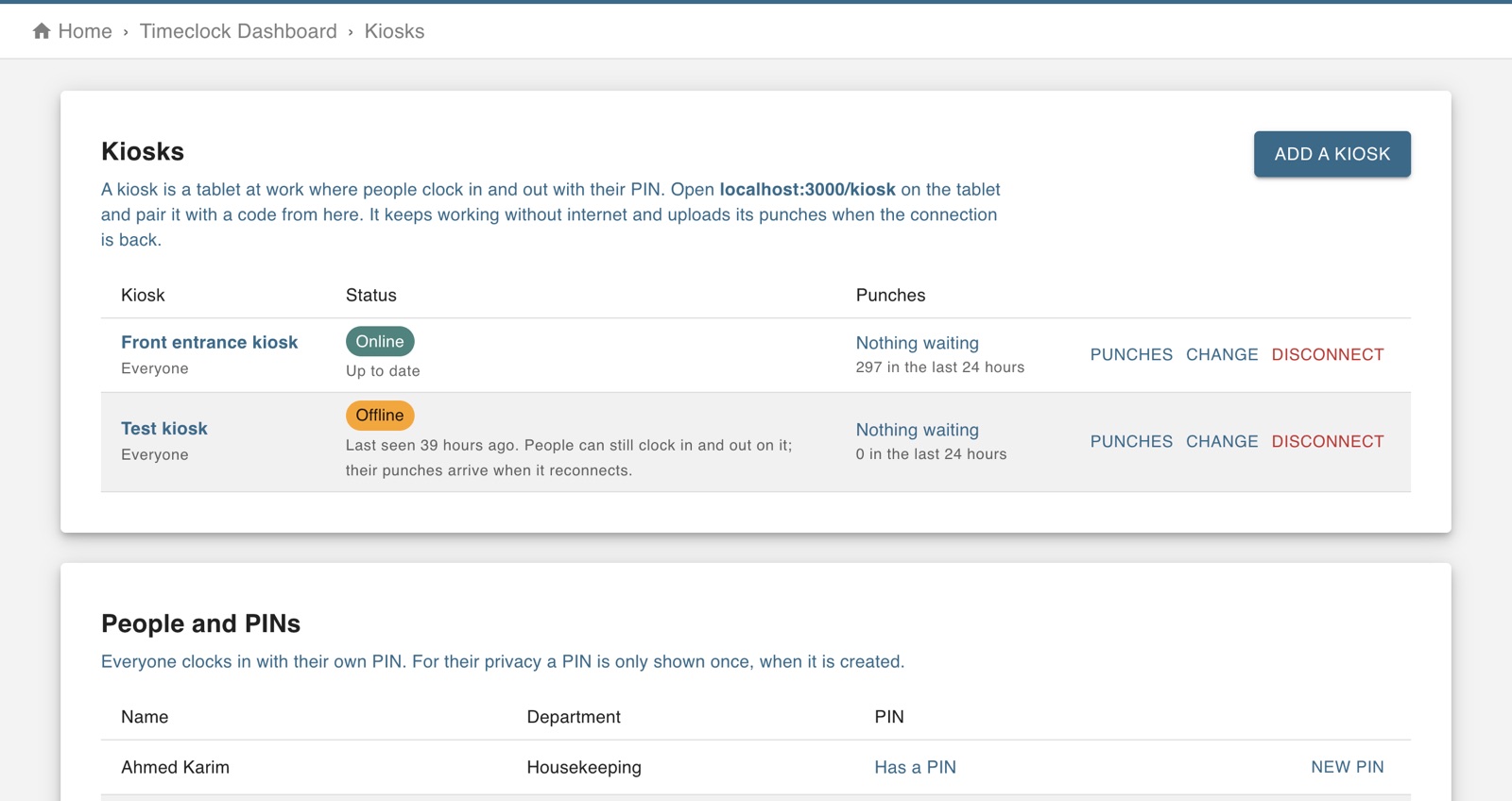
Built for the shared device by the door
For teams where not everyone has a phone on them, or should be using it on shift.
Pair with a code
Open the kiosk page on the tablet, add a kiosk in Worktrim, and type the code it shows. Done once.
A PIN for each person
Everyone clocks in with their own PIN. For privacy, a PIN is shown only once, when it is created.
Works offline
If the connection drops, staff keep clocking in. The kiosk stores the punches and uploads them when it reconnects.
Status you can see
Your dashboard tells you when a kiosk goes offline and how many punches are waiting to arrive.
Your rules on every kiosk
Choose PIN length and what the kiosk asks and shows. Changes reach every kiosk within minutes.
Alongside the phone app
Kiosk and phone punches land on the same timesheet, so you can use both at once.
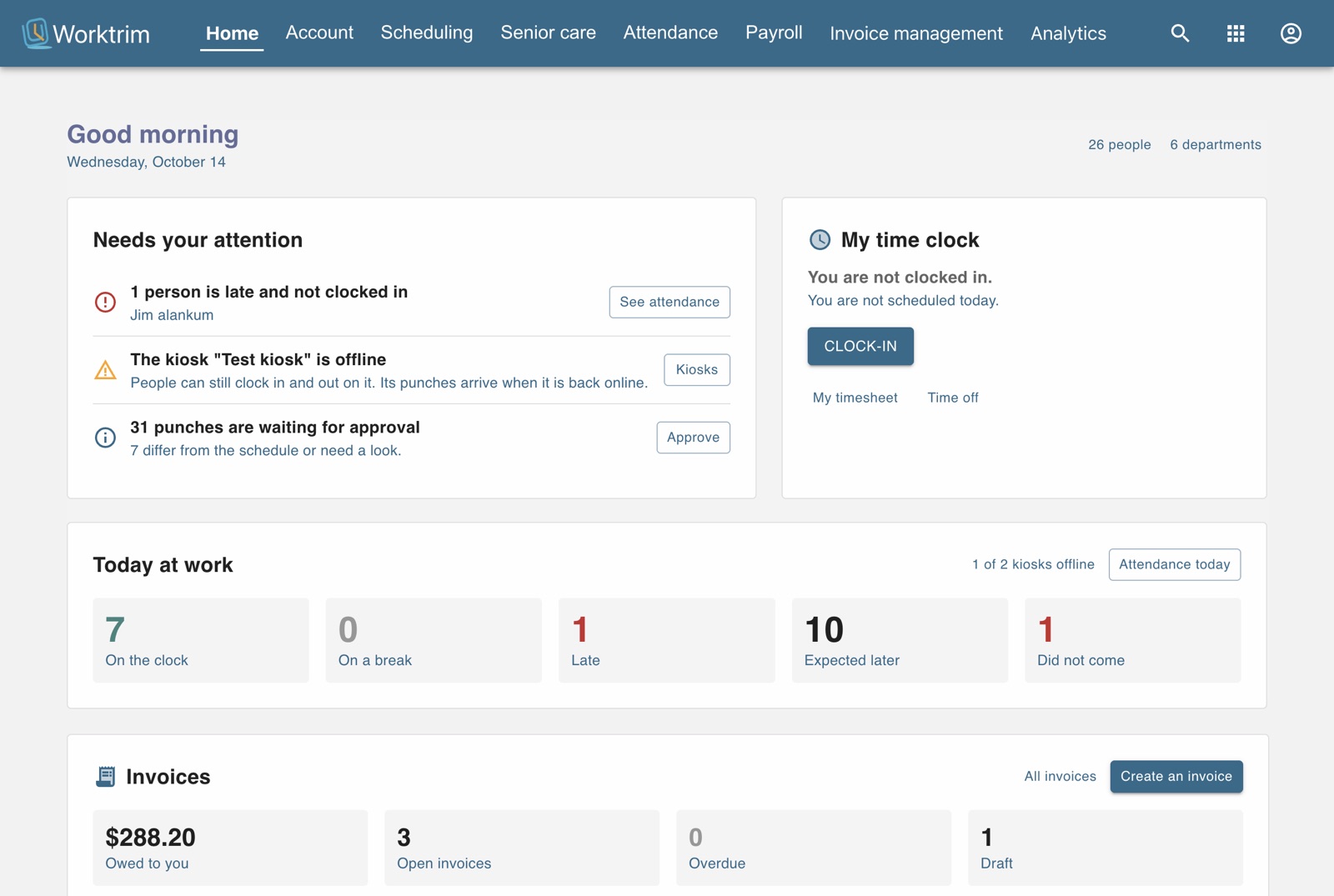
Know when a kiosk needs attention
If a kiosk goes offline, your home page says so, along with anyone who is late and not clocked in. Punches taken while it was offline arrive the moment it reconnects.
All of time & attendance