Getting started
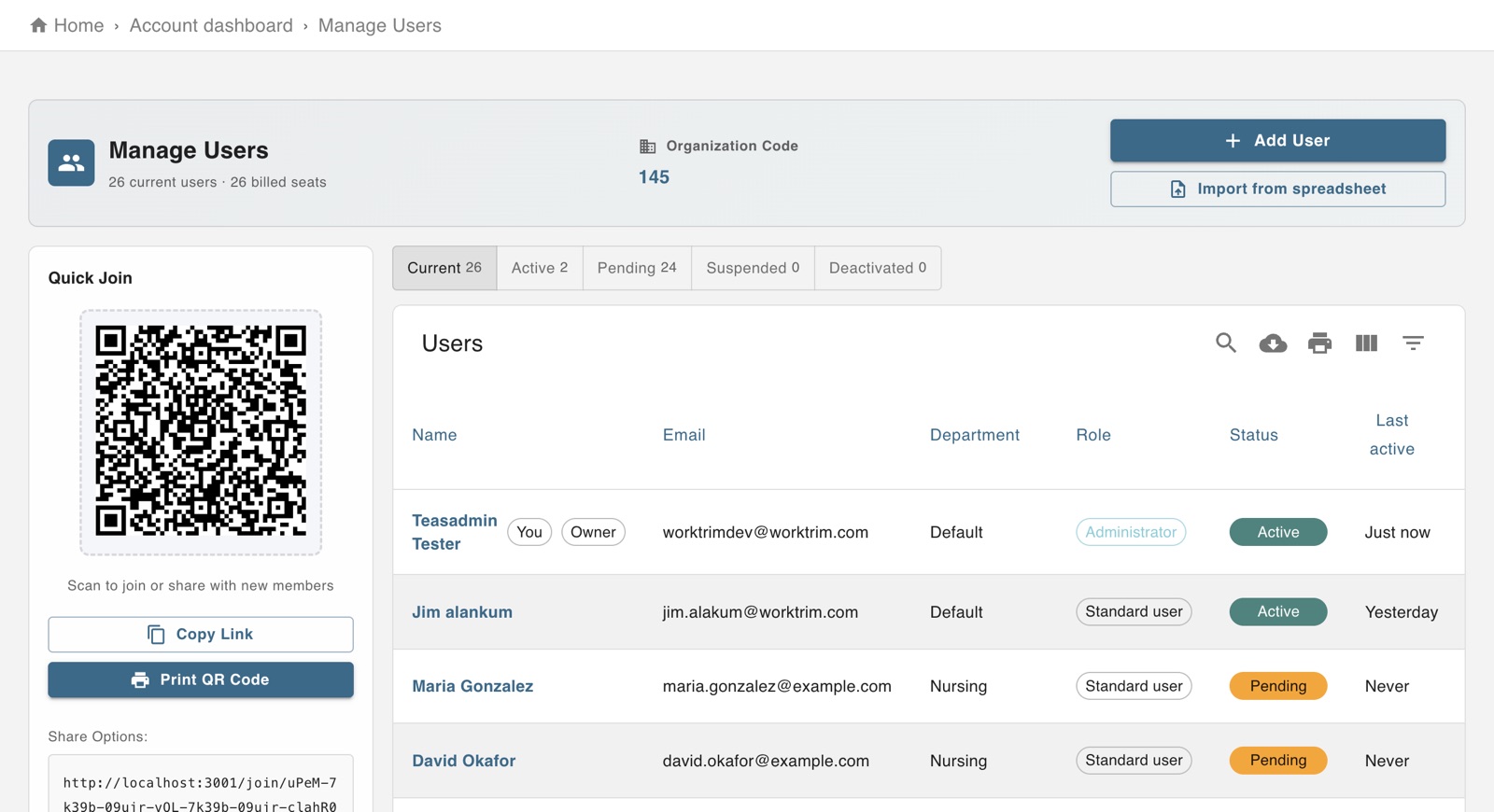
The screen in Worktrim.
Add an employee and invite them
Everyone who works for you has their own sign-in. You add them, Worktrim emails the invitation.
Steps
- Open Account, then Employees, and add the person: their name, email, department and whether they are an employee or an administrator.
- They receive an invitation by email and choose their own password. Until they accept, they are listed as invited.
- If the email did not arrive, open the person and send the invitation again.
- Someone with no email address can still clock in at a kiosk with a PIN.
- To add many people at once, use Import people with a spreadsheet.
Was this guide helpful?
Thank you.
Sorry it did not help. Tell us what was missing and we will improve it.
Still stuck?
Email [email protected] or send us a message. The people who build Worktrim answer.
Contact us