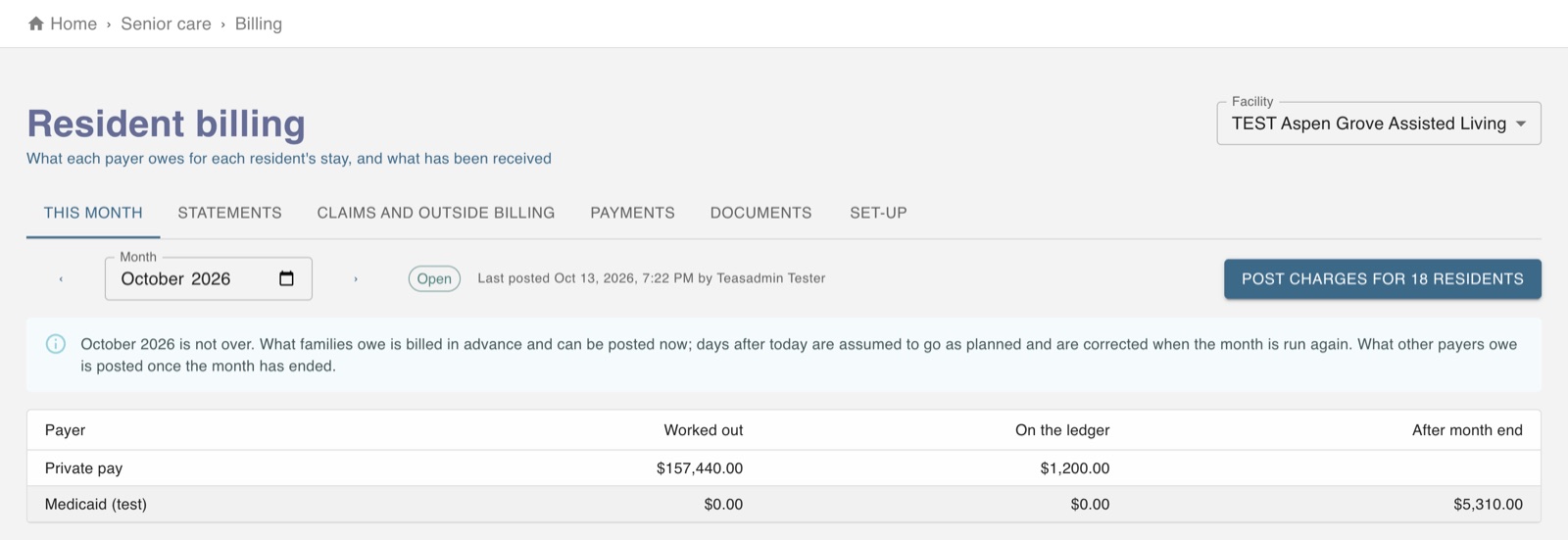
Press Bill on a resident and Worktrim walks you from who pays to the invoice.
Needs the Senior care (Healthcare) plan.
Steps
Press Bill on the resident (in the Residents list, on their billing account, or on the Billing page).
Say who pays: the resident or family pays all of it, or a program such as Medicaid pays part and the resident pays a monthly share.
Say who gets the bill: a family member, or the resident.
Review the month's bill and press Create the invoice. It opens ready to check and send; the family pays online.
A program like Medicaid never gets an invoice. After the month ends, make its claim worksheet on the Billing page, Claims tab. Payments you record there count once an administrator acknowledges them.
The screen in Worktrim.
Open it in Worktrim
You will be asked to sign in if you are not already.