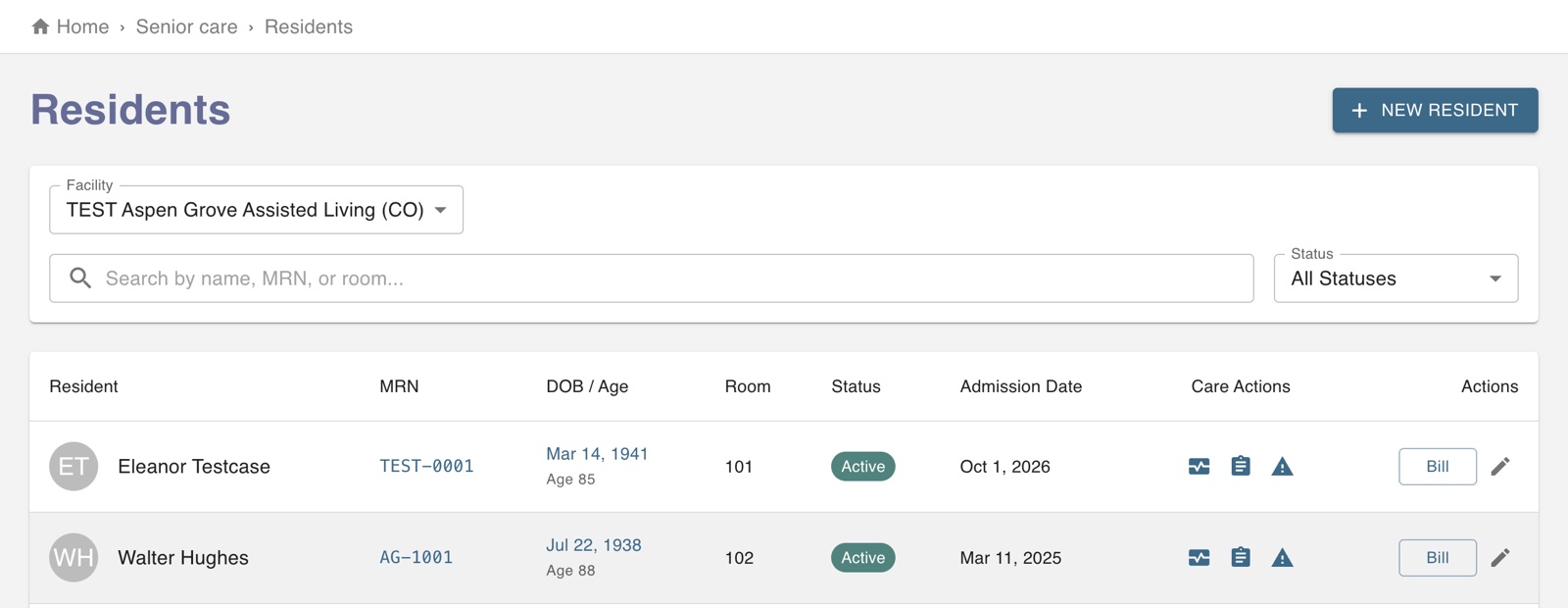
Open Residents and press New resident. Choose the facility and unit, then fill in the basic and medical information. For the diagnosis, start typing and pick the ICD-10 code from the list.
The admission date matters: charting and billing start from it. A new record starts as a pre-admission.
On the day they move in, open the resident and press Change status to make them Active. Only active residents appear on the medication pass and ADL sheets.
On the Allergies tab, record each allergy and its reaction, or record that they have no known drug allergies. Allergies then show in red wherever the resident appears.
On the Contacts tab, add family and the responsible party, and say who may make medical decisions or receive medical information.
Enter their medication orders on Medications with New order. A nurse verifies each order before it reaches the medication pass.
To bill them, use Bill on the residents list. Changes to any of this are kept in the record's history.
The screen in Worktrim.
Open it in Worktrim
You will be asked to sign in if you are not already.